Switch to farm accounting software for the modern era
Ambrook vs Red Wing CenterPoint
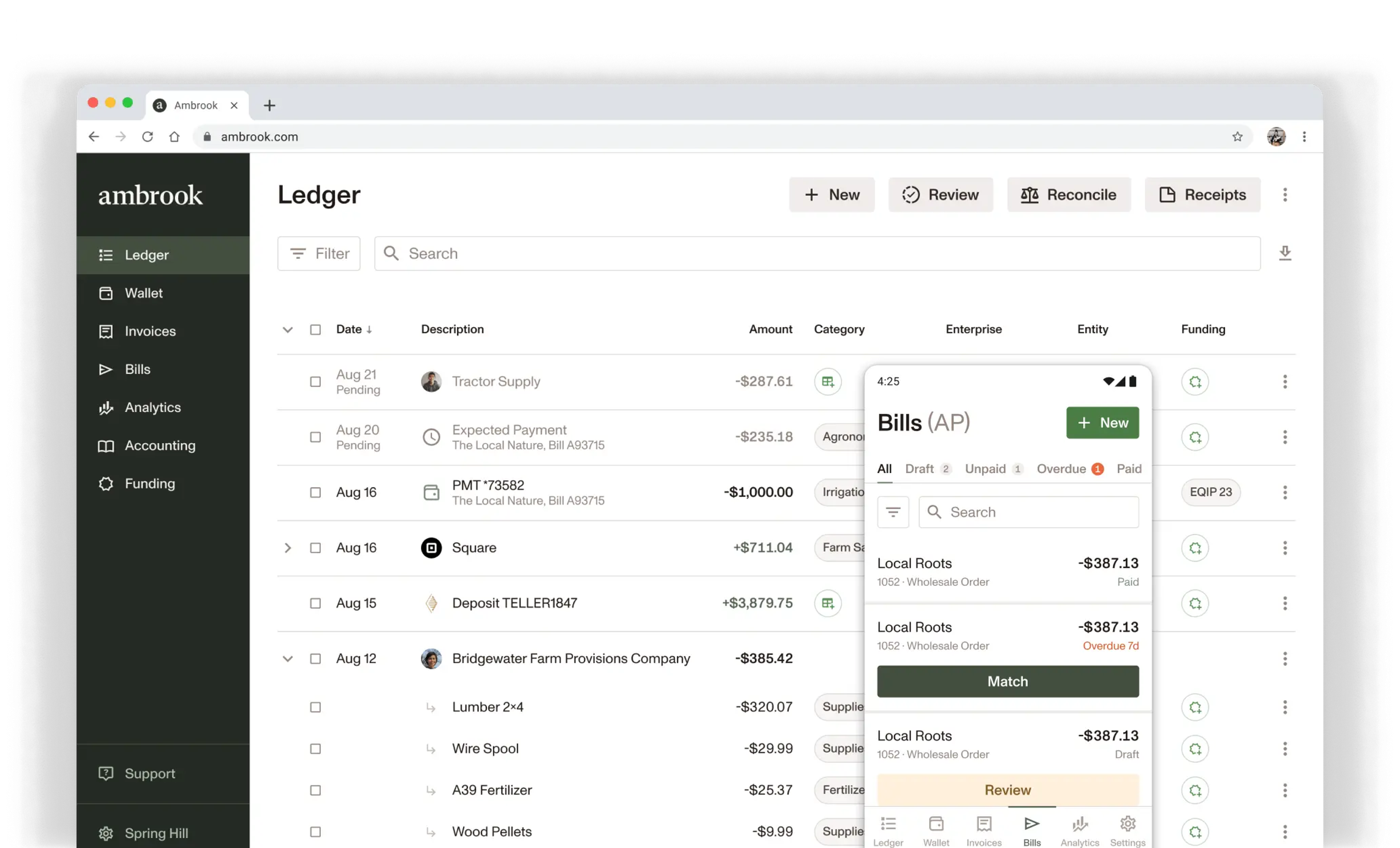
Easy to use bookkeeping, invoicing, bill pay, and analytics all in one tool. Cloud-based, mobile, and collaborative.
7,000 operations
across America rely on Ambrook




Compare Features
Simple mobile app and website
Modern, intuitive workflow design
Integrated online bill pay
Accounts Receivable with online payments
Integrated bill payments
Native check mailing
Team cards for expense management
USDA funding program tracking
Expert chart of accounts consultation

Guided by Ali
Schedule a demo with our teamSchedule a demo
Switching from Red Wing CenterPoint
We’ll help you move on to greener pastures
Clean up your chart of accounts with our experts
Work with our ag-centric customer service team to personalize your chart of accounts.
Don’t miss a beat with customers and vendors
Import outstanding invoices and bills and transition to our customer management to keep your business moving.
Import historical records for yearly analytics
Bring in historical data for peace of mind while ensuring you can track performance over time.
Get up and running with your team in one week
Participate in guided onboarding and training to personalize your system and master your workflows.
Get a Phone Call
Optional
Standard messaging rates apply.
Ambrook is Ag Data Transparent certified, ensuring your information is safe and secure.
Frequently Asked Questions
How do customers pay an Ambrook invoice?
You send an invoice from Ambrook with a payment link. Your customer clicks it and pays by ACH or credit card in a few clicks. The payment matches the invoice and updates your books automatically.
Do I have to send invoices through email?
No. Send digitally for online pay, or print and hand the customer a paper copy. You can also download a PDF and email it yourself. Same invoice, three delivery paths.
Can I send invoices for multiple businesses or properties?
Yes. One Ambrook account can invoice from multiple enterprises or properties. Tag invoice lines to the right enterprise, customer, or job, and your P&Ls stay separate where they need to.
What happens after a customer pays?
The payment lands in your account, matches to the invoice automatically, and your AR updates in real time. No manual reconciliation step, no double entry.
Can my customers still pay by check or cash?
Yes. If a customer pays by check or cash, you can match the payment to the invoice yourself in a couple of clicks. The invoice closes out and your books update the same way they would for an online payment.
Is there an audit trail if I edit an invoice after sending?
Yes. Every invoice has a full timeline showing who created, edited, sent, and matched payment to it. Edits create a new version of the invoice, nothing is overwritten or lost.