Invoicing Software
Invoicing software that knows your books.
Built for operators who track work by the job. Send branded invoices, accept payments online, and keep your books current without the double entry.
30-day free trial
Live onboarding
US-based support
4.7 Trustpilot
30-day free trial
US-based support
Live onboarding
4.7 Trustpilot


8,000 operations across
America rely on Ambrook


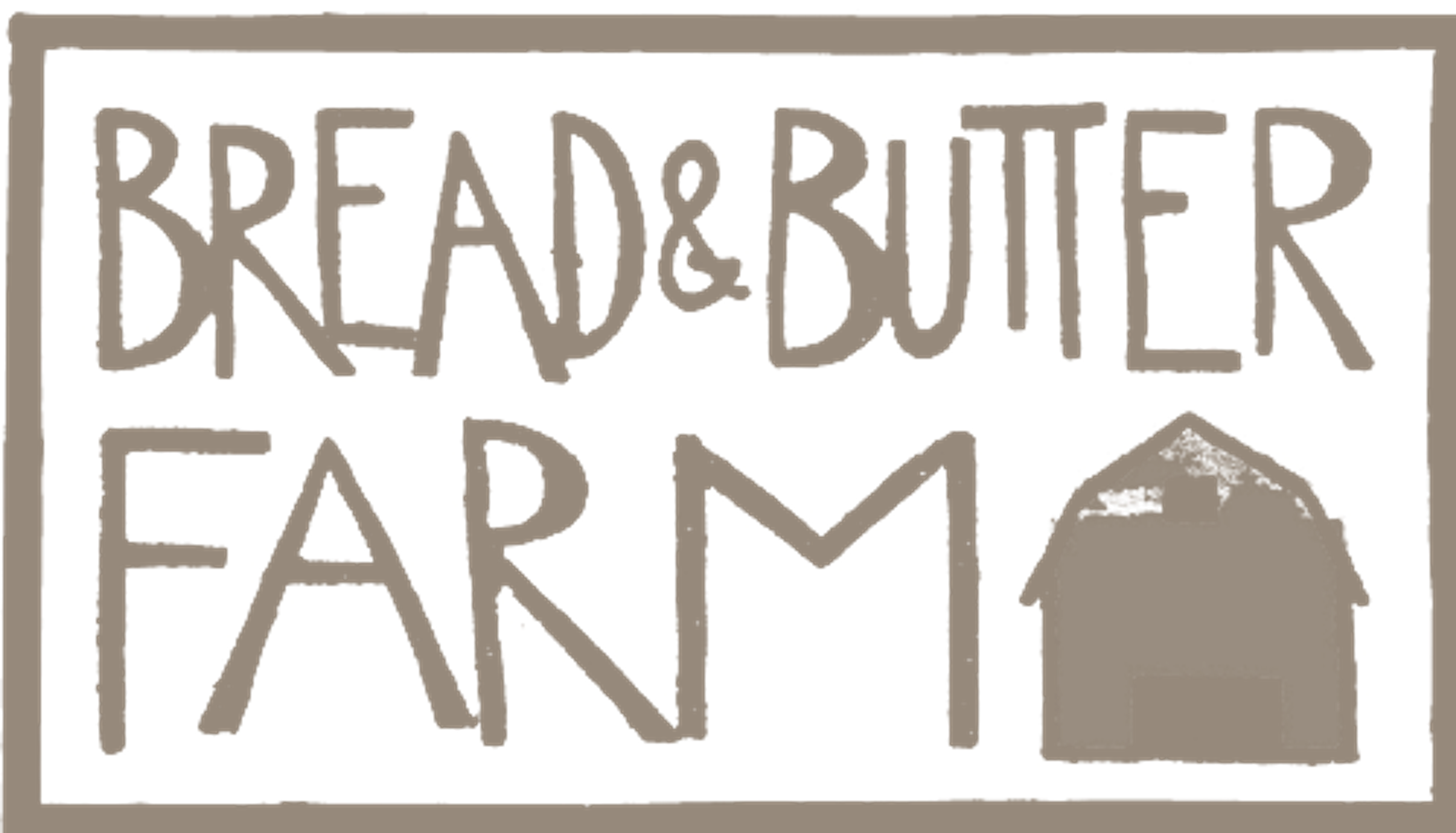
From sent to settled, all in one place
Invoicing software built into your books, so every invoice you send updates your accounting automatically.
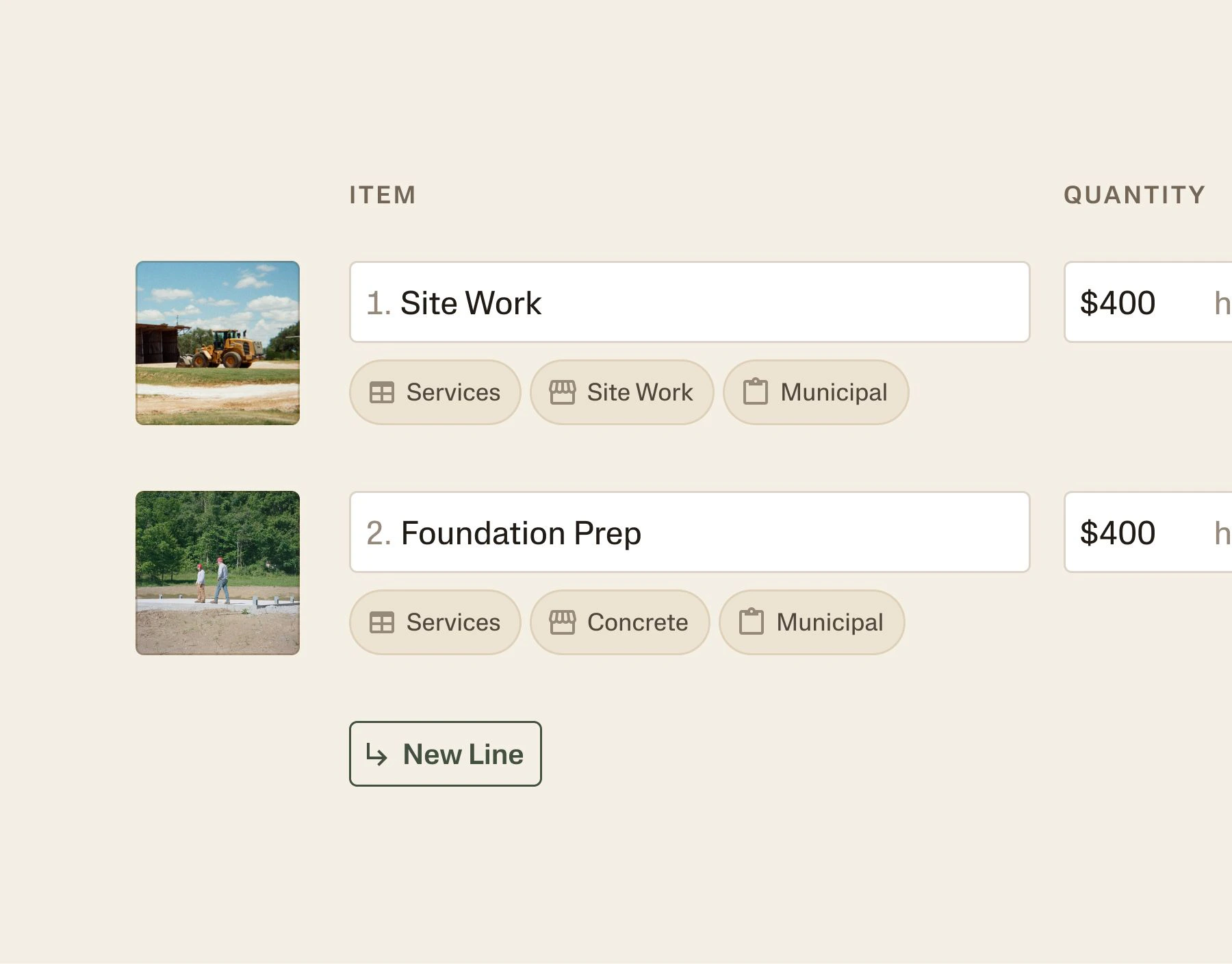
Tag every line to the right enterprise
Multi-property, multi-enterprise, multi-anything. Tag each line as you build the invoice, and your P&L is cut clean by where the revenue came from.
Get paid how your customers pay
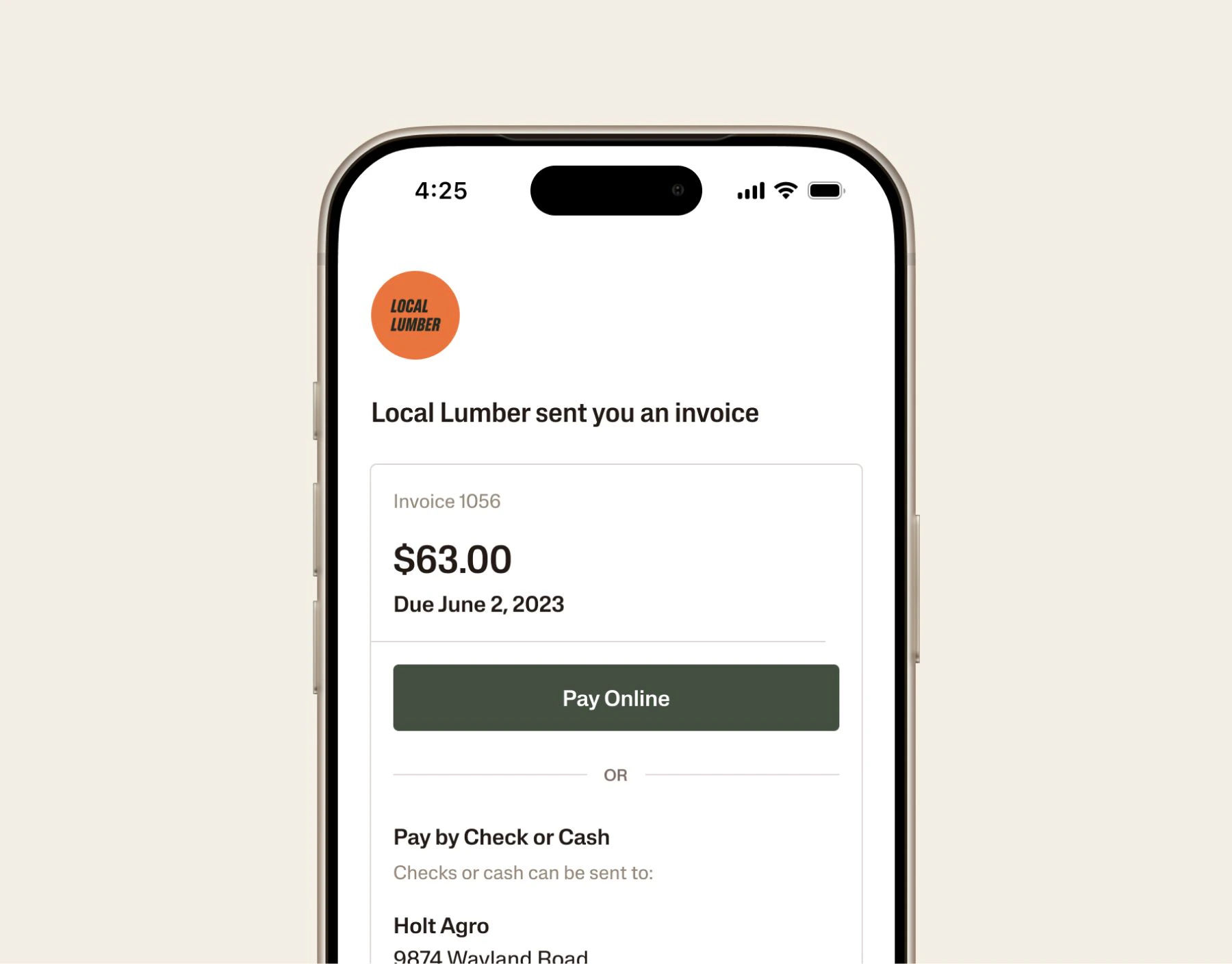
Send an invoice with a payment link. Customers pay by ACH or card in a few clicks, or mail a check like they always have. Either way, you get paid.
Close out invoices in seconds
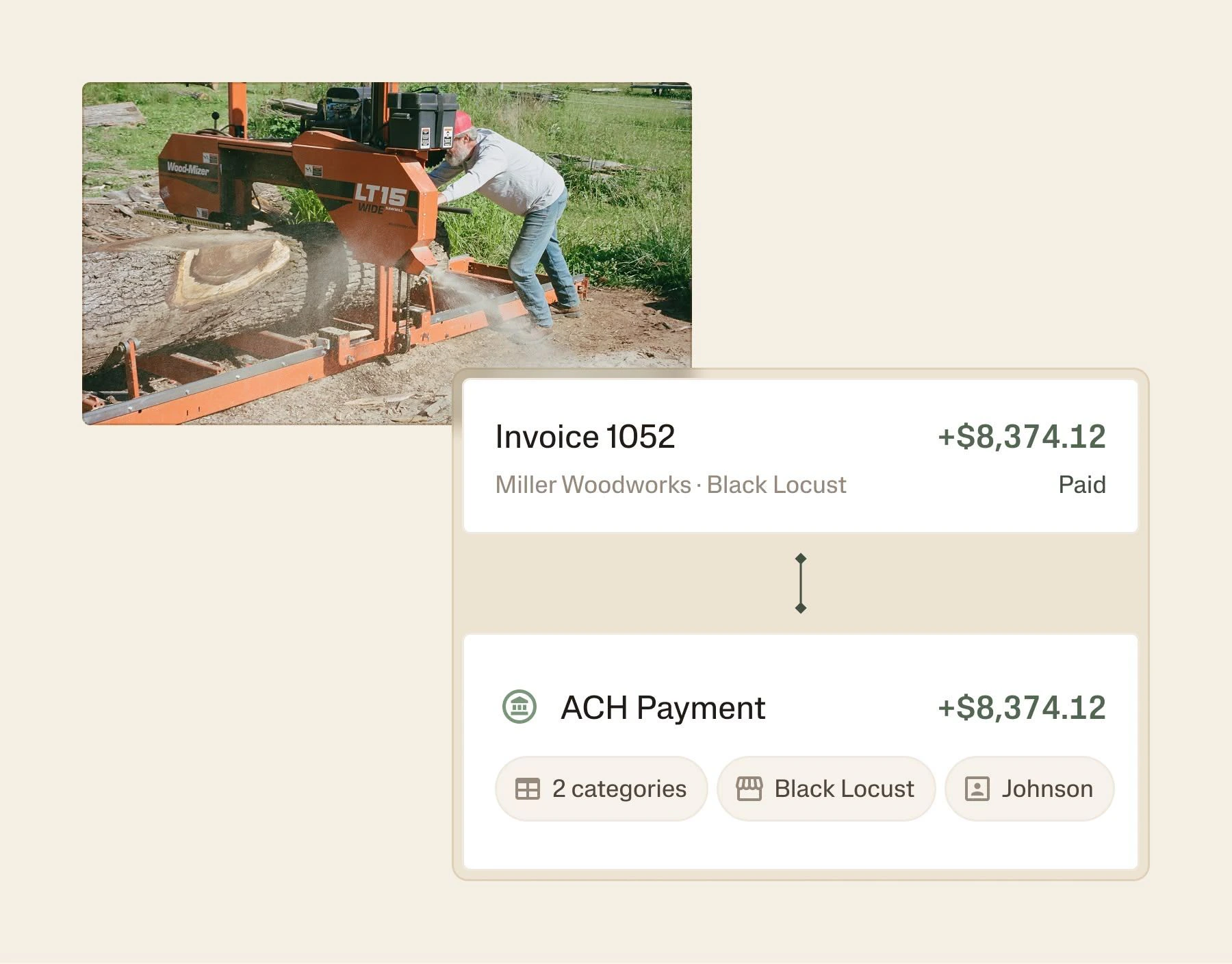
When a payment lands, Ambrook suggests the match. Accept it and the invoice closes with tags intact, so you always know what's paid and what's owed.
Customer Story
How WhiteWater Ranch turned estimates into $30,000 in mill upgrades
An Indiana family sawmill swapped Facebook messages and spreadsheets for estimates and invoices in Ambrook, revealing its highest-margin product.
Rick Moser
Owner, WhiteWater Ranch

Try Ambrook FreeTry Ambrook Free
Everything your operation needs
Auto-reconciliation
Payments come in, Ambrook matches them to the right invoice and updates your books. No manual entry, no lost transactions.
Invoice on your schedule, anywhere
Set repeating bills to send automatically, and create or send one-off invoices from your phone. Ambrook matches each payment.
Card, ACH, or check
Customers pay however works for them, online from the invoice or by mail. Ambrook matches every payment to the right invoice.
Branded invoices
Add your logo, business details, and custom line items so every invoice looks polished and professional, not generic.
Estimates, quotes, bids, and proposals
Send estimates, quotes, bids, or proposals from your catalog via email or text, let customers accept and e-sign, then convert to invoices in one click.
See who owes you what
Track outstanding receivables and paid invoices in one view, so you always know which customers are overdue and how much is coming in.
Services
Full-Service Bookkeeping
We'll handle invoice entry, payment matching, and reconciliation for you.

Tax planning with Uprise
Tax planning and advisory services to help keep more of what you earn.

CPA Network
Connect with industry-focused CPAs who understand your operation and goals.

How to Start
Get up and running in less than 30 days.
Today
Connect your accounts
Link your bank, import your QuickBooks chart of accounts, or start fresh. Setup takes minutes, not weeks.
This Week
See every dollar in the right place
Transactions flow in automatically. Set up your enterprises, automate tagging, and watch your books start organizing themselves.
End of the Month
Pull your first real P&L
Run a per-enterprise profit and loss statement. Hand your lender a clean balance sheet. Know exactly what's making money.
Frequently Asked Questions
Yes. With Ambrook's invoicing software, set any invoice to a schedule like daily, weekly, monthly, or yearly, and choose whether Ambrook drafts each one for your review or sends it automatically. Payments still match to the right invoice on their own.
You can still send traditional invoices by printing or emailing them out and receive checks. Use mobile check deposit to photograph the check — that becomes your receipt and deposits directly to your Ambrook Wallet. Best of both worlds.
1% for ACH beats most competitors, and 3% for credit cards matches the industry standard. But between Ambrook Wallet users? Zero fees. If you're selling to other farms or ag businesses using Ambrook, payments are instant and free.
Each line item can tag to a different enterprise. Sell breeding stock from your cow-calf operation and custom trenching work on the same invoice — it'll split correctly in your books automatically.
No. You can send invoices and accept payment through other methods. But Wallet streamlines everything — payment lands in your bookkeeping system automatically, earns interest, and costs less in fees.
Yes. Add your logo, business info, and payment terms for professional-looking invoices that represent your operation.
Ambrook handles sales tax calculations and tracking. Set your rates by state or county and we'll apply them correctly.
Try Ambrook today
30-day free trial
Live onboarding
US-based support
4.7 Trustpilot
30-day free trial
US-based support
Live onboarding
4.7 Trustpilot